-

Instafill.ai is hosting a networking event @ LA Tech Week 🚵
Written by
on
We’re hosting an event during LA Tech Week by a16z. – part of Tech Week 2025, the largest decentralized tech conference in the world. As part of this week of events,…
-

Cigna Healthcare AI vs Instafill.ai: Comprehensive Technology Comparison Report
Written by
on
This detailed analysis examines two distinct approaches to AI-powered form automation: Cigna Healthcare’s specialized insurance claim processing system and Instafill.ai is universal form automation platform. While both leverage artificial intelligence…
-
Cigna Healthcare’s AI Form-Filling Technology
Written by
on
Cigna Healthcare has developed a sophisticated Smart Claim Submission system that represents advanced AI-powered form automation platforms in the healthcare insurance industry. This technology goes far beyond basic OCR and…
-
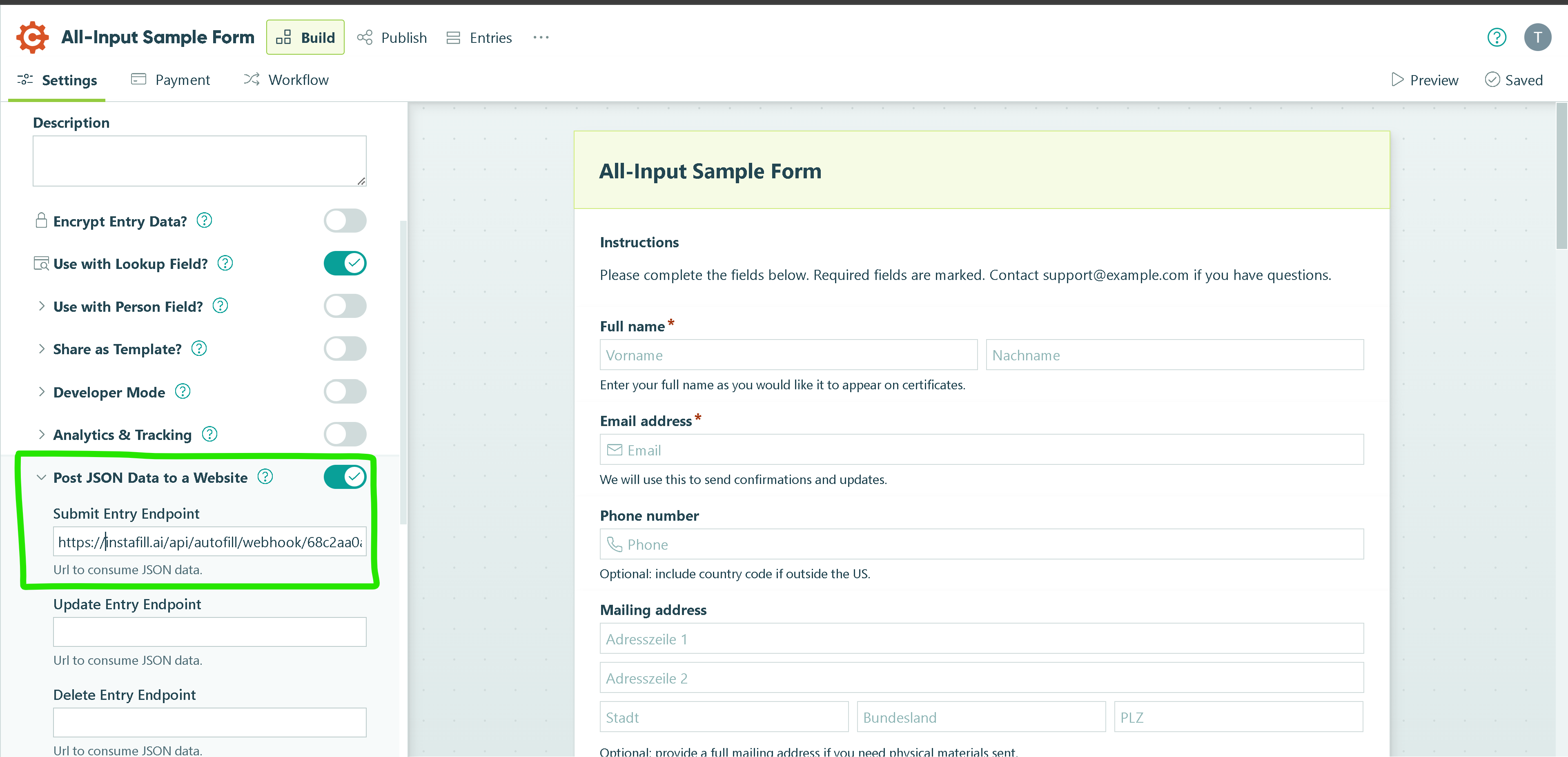
How to connect Cognito Forms and Instafill.ai
Written by
on
Connecting your Cognito Forms with Instafill.ai takes just a few minutes and unlocks powerful automation for your document workflow. Instead of manually exporting and re-entering form data, you can send…
-
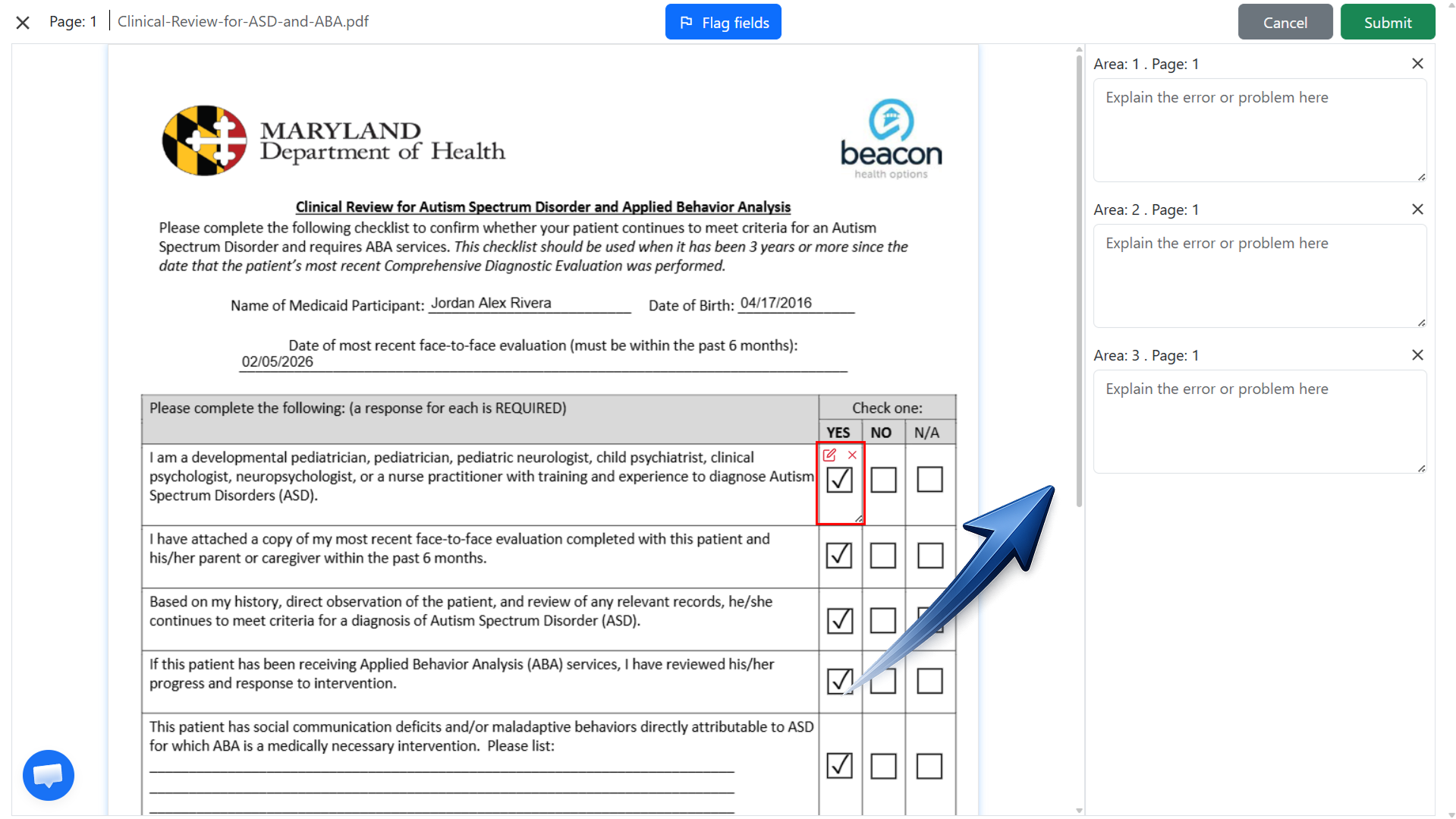
Introducing Instafill.ai’s field flagging and accuracy improvement feature
Written by
on
Instafill.ai has always been about saving time. From auto-filling complex forms to extracting structured data from uploaded documents, our goal has been to make form-filling as fast and accurate as…
-

Join the Live Demo on September 3 – Instafill.ai August Updates Review
Written by
on
We’ve released several important updates to Instafill.ai in August, and we’ll be showing them live in a live webinar next week. The session will cover our new algorithm update that…
Instafill ai form filler blog
Use cases and updates

Instafill.ai | AI form filler
Instafill.ai is a next-generation AI form filler designed for both individuals who want to fill out personal PDF forms and businesses that need to handle forms for clients or employees. By leveraging the most recent reasoning AI models that automatically extract data from a variety of sources—images, text documents, partially filled PDFs, or CSV files—Instafill populates each field with speed and precision. The AI validates every entry for error-free, compliant submissions.