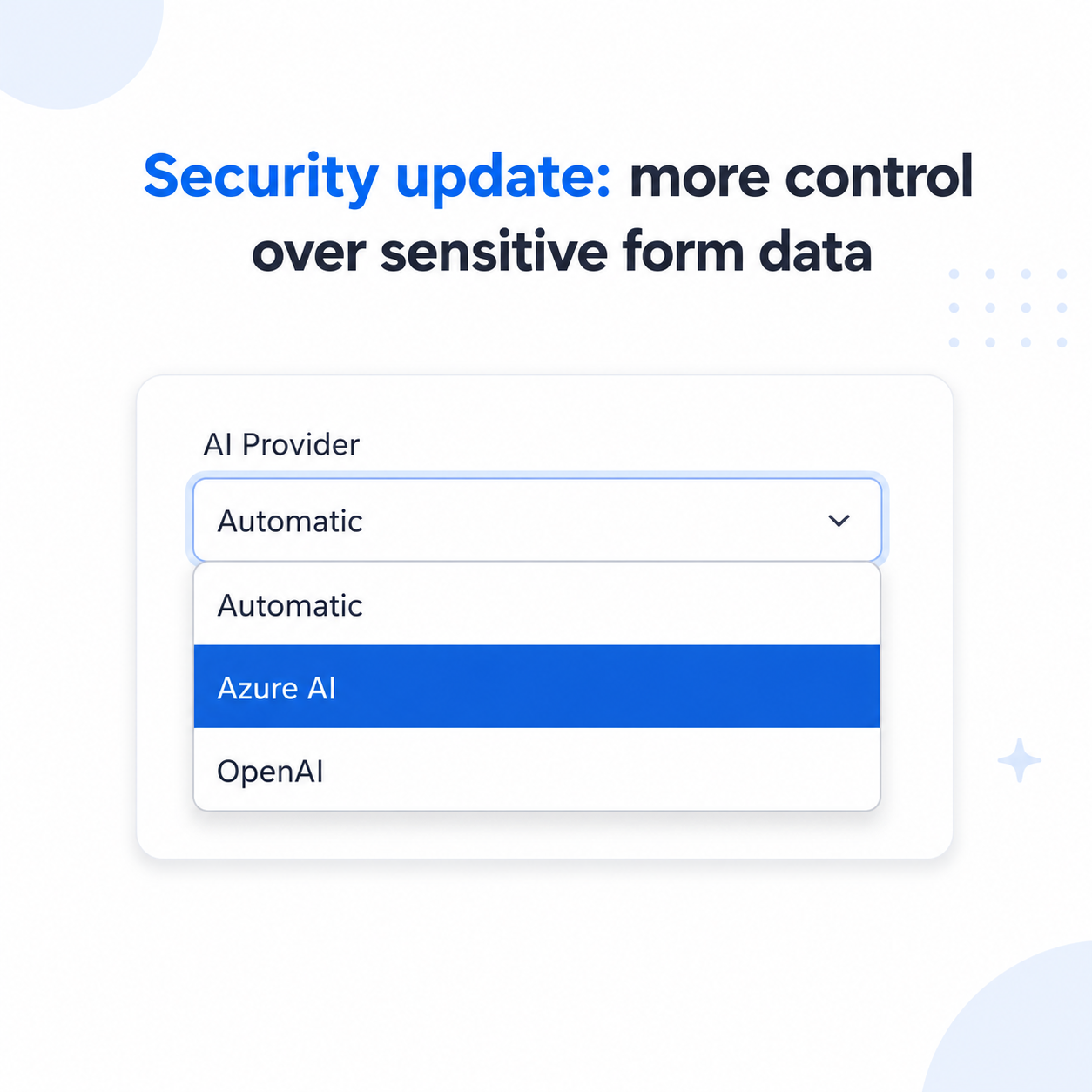
We’re introducing a new organization-level control in Instafill.ai that gives you direct say over which AI infrastructure handles processing for your account. You can route all AI operations through Azure’s HIPAA-eligible OpenAI service, through OpenAI’s API directly, or keep our default automatic routing – the choice applies across your entire organization.
This control is available now on every Instafill.ai organization account. Below, we explain how it works, why we built it, the trade-offs to be aware of, and how it fits into our broader approach to data privacy.
Why a control over where your data is processed?
Instafill.ai handles forms and files that often contain sensitive personal information – medical records, tax documents, financial details, legal files, client data. How that data is processed isn’t a side concern; it’s part of the substance of the product.
Until this update, AI processing in Instafill.ai ran across both Azure-hosted OpenAI models and OpenAI’s API directly. The platform automatically distributed requests across both providers to combine their throughput. That behavior is still the default, and it’s optimal for most workflows.
But it left some teams without a way to pin AI processing to a single, deterministic path. Specifically:
- Healthcare practices and other teams handling Protected Health Information often need every layer of their stack – including AI – to run through HIPAA-eligible infrastructure with a Business Associate Agreement (BAA) in place. Mixed routing across providers doesn’t qualify.
- Some organizations have existing contractual relationships with OpenAI directly and prefer routing data through that path.
- Some compliance reviews require infrastructure choice to be explicit and reviewable, not implicit.
This new setting closes those gaps. Every Instafill.ai organization can now pin AI processing to a single provider – or keep the default automatic routing – at the organization level.
How the new control works
Step 1: Open organization settings
In your Instafill.ai account, navigate to Organization settings → General. You’ll find the new AI Provider field below your Organization name and Organization ID.
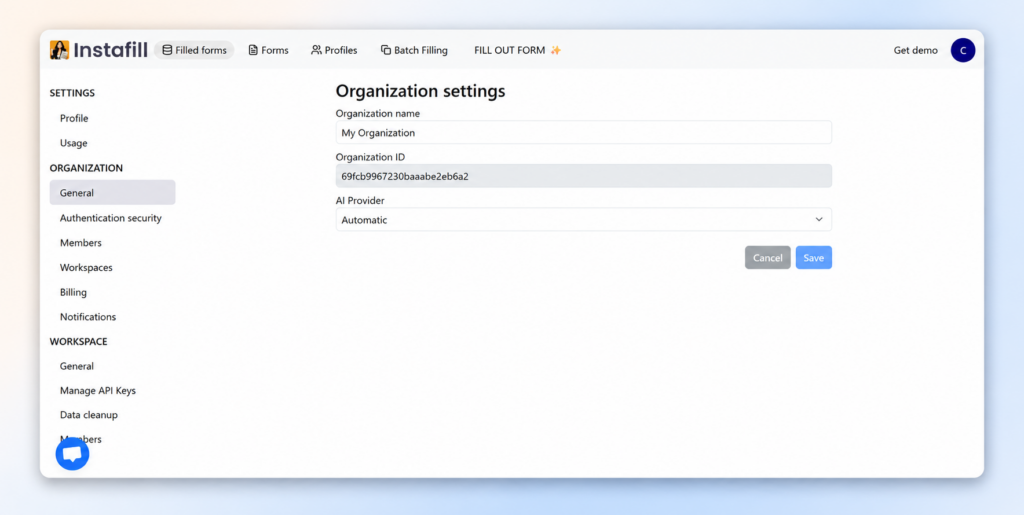
Step 2: Choose a mode from the dropdown
Click the AI Provider dropdown to see the three options: Automatic (default), Azure AI, and OpenAI. Select the mode that matches your organization’s requirements.
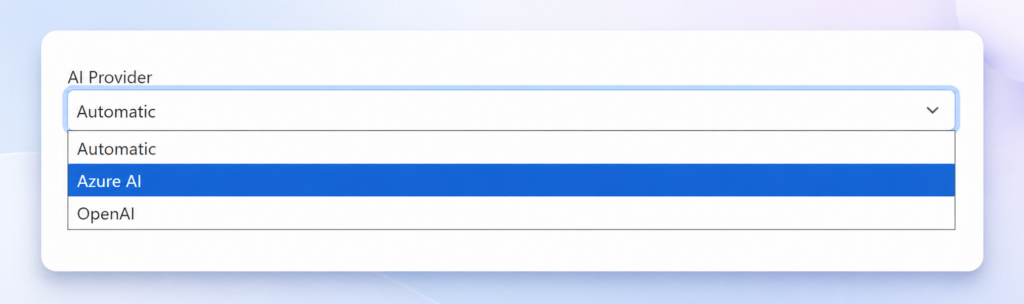
Step 3: Save
Click Save. The new mode applies organization-wide – across all workspaces, members, and requests in your account. You can change it again at any time from the same settings page.
The three modes explained
Automatic (default)
Instafill.ai distributes requests across both Azure-hosted OpenAI models and OpenAI directly, combining the throughput of both providers. This is what every account uses today, and what new accounts continue to use by default.
Best for: most general workflows, high-volume processing, teams without specific compliance constraints around infrastructure routing.
Azure AI
All AI operations for your organization run exclusively on OpenAI models hosted on Microsoft Azure. Azure’s OpenAI service is HIPAA-eligible and covered by Microsoft’s Business Associate Agreement, which is incorporated via Microsoft’s Product Terms and Data Protection Addendum (DPA) for eligible licensing.
Best for: healthcare workflows, HIPAA-relevant use cases, Microsoft-anchored compliance environments, organizations whose internal policies require a single, BAA-covered processing path.
OpenAI
All AI operations run exclusively on OpenAI’s direct API. Useful if your organization has an existing relationship with OpenAI or a specific contractual reason to route data through them rather than Azure.
Best for: organizations with existing OpenAI enterprise agreements or contractual requirements that specify OpenAI as the processing path.
If HIPAA is part of your review
For teams handling Protected Health Information – particularly healthcare practices that need every part of their stack, AI included, to meet HIPAA requirements – the question is direct: can the AI processing layer stay HIPAA-compliant?
With the new Azure AI mode, the answer for the AI processing layer is yes.
Azure’s OpenAI service runs on Microsoft’s HIPAA-eligible infrastructure with a standard Business Associate Agreement available. The BAA is incorporated by default via the Microsoft Product Terms and Data Protection Addendum for customers under eligible licensing (Enterprise Agreement, Microsoft Customer Agreement, or CSP). For Microsoft’s full HIPAA framework, see Microsoft’s HIPAA compliance documentation.
By switching your organization to Azure AI mode, every request Instafill.ai makes on your behalf – field analysis, form filling, dependency detection – runs through that environment.
Compliance still depends on your full setup: internal policies, contracts, access controls, encryption, and how your organization handles PHI. Microsoft covers the cloud infrastructure layer under the BAA; Instafill.ai uses that infrastructure for AI processing when you select Azure AI mode; your team is responsible for end-to-end safeguards under HIPAA’s shared responsibility model. If HIPAA is part of your review, Azure AI gives you a clearer path for the AI processing layer.
If you need a deeper compliance review before rolling this out, email [email protected] and we’ll walk through it with you.
A note on performance
Automatic mode is fast in part because it uses capacity from both Azure and OpenAI. When you pin your organization to a single provider, that headroom narrows.
For most workflows, the difference is small or invisible. On very large forms or high-volume batch jobs, single-provider mode may run noticeably slower.
If you switch to Azure AI or OpenAI and find that performance becomes a problem for your team, contact [email protected]. We can raise capacity limits on our side to improve throughput on your account.
How this fits into our approach to data privacy
This new control is one part of a broader set of data-handling commitments built into Instafill.ai. The principles you can rely on across the platform:
- Your data is never used to train AI models. The files you upload and the information you submit are used only to fill out your forms – never as training material for any model, ours or any third party’s. This applies regardless of which AI provider mode you select. Microsoft does not train its models on Azure OpenAI customer data, and OpenAI’s API does not train on data sent through it without explicit customer opt-in.
- Your data stays in your workspace. Forms, files, and submitted information are isolated to the workspace that created them. No other user, organization, or workspace can see them. Workspace-level isolation also applies to the AI configurations you build, such as your Field editor settings.
- You control how long your data stays. Our automatic data cleanup feature lets you set how many days files are kept before they’re permanently removed – down to as little as one day, or immediately after processing.
This update extends those guarantees one layer deeper: not just whether your data trains models or who sees it, but where the processing physically happens.
Who should adjust this setting?
This setting is optional. For most accounts, the default Automatic mode is the right choice – it gives you the best throughput and works for the vast majority of workflows.
Adjust it if any of the following apply to your organization:
- Healthcare practices and HIPAA-relevant workflows: Switch to Azure AI mode. This routes all AI processing through Microsoft’s HIPAA-eligible infrastructure with BAA coverage.
- Organizations with existing OpenAI enterprise agreements: OpenAI mode keeps processing on OpenAI’s direct API only.
- Organizations with explicit infrastructure compliance requirements: Use either Azure AI or OpenAI mode to make your processing path deterministic and auditable.
- Everyone else: Stay on Automatic for the best speed and throughput.
Availability
This control is available now on every Instafill.ai organization account. Open your settings at https://instafill.ai/settings/organization/general, pick a mode, and save. Changes apply immediately to all subsequent AI requests across your organization.
If you’re on a plan that doesn’t include organization-level settings and you need this control, contact us at [email protected] – we’ll be happy to walk you through it.
We treat data privacy as something we keep extending into, not a one-time feature. This control is one more layer; more updates in this area are in progress. We’d love your feedback at [email protected].