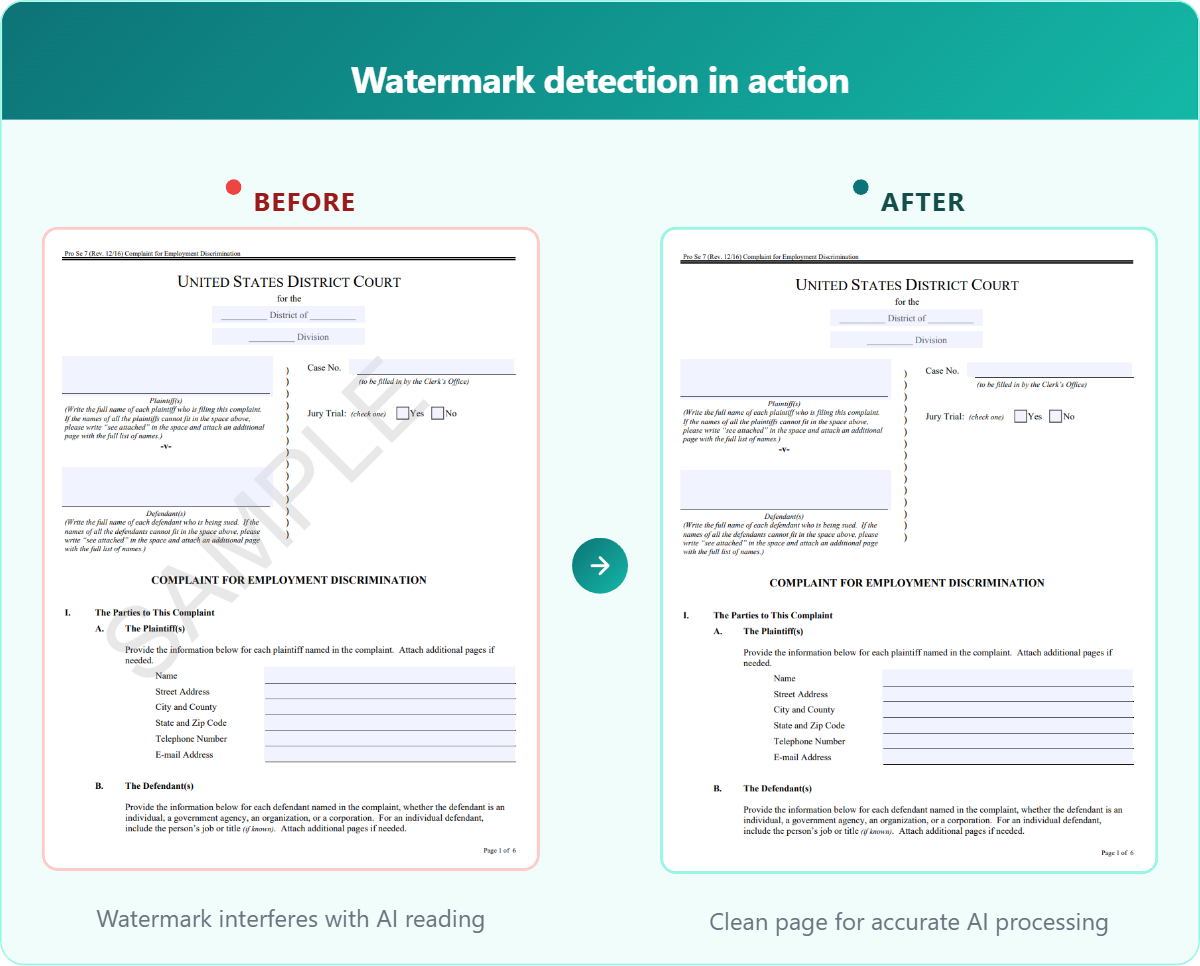
Many PDFs from insurance companies, financial institutions, and government agencies contain watermarks – diagonal text, logos, or stamps like “DRAFT”, “CONFIDENTIAL”, or “SAMPLE” printed across the page. Humans naturally skip over them when reading a form. For AI, they’re not always as easy to ignore.
A watermark overlapping a checkbox can make the AI think it’s checked when it isn’t, or text behind it can be misread or skipped. These are subtle errors that are hard to catch during review, but they directly affect the accuracy of your filled forms.
Instafill.ai now detects and ignores watermarks automatically before processing your documents.
How it works
When you upload a document, Instafill.ai scans it for watermarks using two detection methods:
- PDF structure analysis. Most PDF authoring tools tag watermarks as dedicated elements in the file structure. When Instafill.ai finds these tags, the watermark is identified and ignored during processing. This covers the majority of cases.
- Image-level detection. Some watermarks are embedded as images without proper tags. In those cases, Instafill.ai analyzes each image element in the PDF – checking its size, position, color, and placement – to determine whether it’s a watermark or meaningful content like a logo or an attached document.
This works on both source documents (the files you provide as data) and PDF forms you upload for automated completion. The detection is automatic – there’s nothing to configure or enable.
Your original files are never modified
Watermark detection ensures the AI skips these elements. The files you uploaded remain unchanged.
Why this matters for you
Before this update, if your source document or form had a watermark, you might need to manually clean it up before uploading, or spend extra time reviewing fields where the watermark overlaps with form content. Either way, it adds time to your workflow.
Now, you can upload watermarked documents as-is and get accurate results without extra steps.
| ✓ More accurate fills – the AI sees a clean page without visual noise, so fields are read and filled more reliably. |
| ✓ Less manual work – upload watermarked documents as-is, no preprocessing needed. |
| ✓ Handles variety – works regardless of watermark color, angle, size, or whether there are multiple watermarks on a single page. |
Available now
Automatic watermark detection is live for all accounts. Any forms or source files you upload from today will be processed with watermark detection enabled. No action needed on your end.